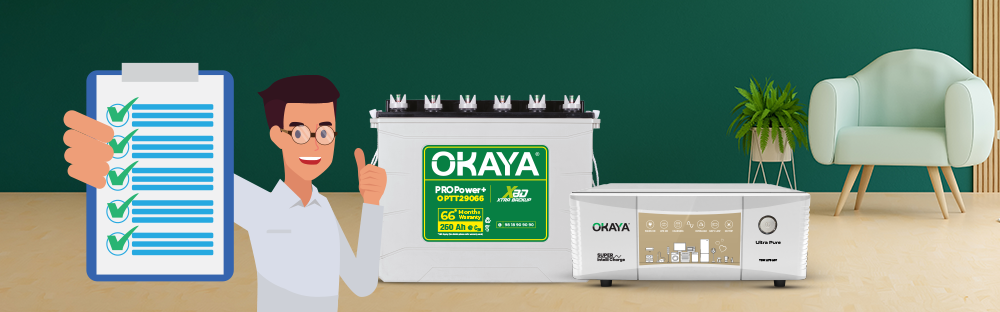
Installing an inverter battery is not just about placing it in a corner and connecting a few wires — a correct installation directly affects backup performance, battery life, and safety. This guide walks homeowners through the complete installation journey for an inverter battery for home — from choosing the right capacity to the checks that matter before, during, and after installation — so the process feels straightforward rather than confusing.
The installation journey starts before the battery even reaches your home. Getting the capacity right for your household's load and backup needs makes the rest of the process - placement, connection, and first use - far simpler.
1. Match the battery to your load, not just your home size. A 1BHK with basic fans and lights needs a different capacity than a 3BHK running a router, TV, and multiple fans through an outage. Our guide on power backup solutions for 1BHK, 2BHK, and 3BHK homes breaks this down by household type.
2. Use a load calculator instead of guessing. Okaya's inverter power calculator helps estimate the inverter VA and battery Ah suited to your actual appliances before you buy, so the battery you install is neither undersized nor oversized.
3. Check backup transparency, not just the Ah number. Okaya batteries carry Certified Backup Hours (CBH) printed on the packaging, tested under the UMHD (Urban Metro Heavy Duty) load cycle and verified by NABL-accredited labs - so you know what backup to expect before installation, not after.
4. Browse the full range of Super Jumbo Tubular (SJT) and Tall Tubular (TT) inverter batteries to shortlist a capacity that fits your space and backup requirement.
5. Compare the current inverter battery rate on the shop platform once you've shortlisted a capacity, so the model you plan to install is also within your budget.
6. Consider an Okaya Power Pair. Pairing an Okaya inverter with an Okaya XBD+ battery keeps both under single-brand responsibility, so installation and any future service issue is handled by one point of contact instead of coordinating between two different brands.
A few checks before installation day prevent most of the common issues homeowners face later - weak backup, faster water loss, or a battery that ages before its time.
1. Choose a dry, ventilated spot. Inverter batteries release small amounts of gas while charging, so the installation area should be dry, well-ventilated, and away from direct sunlight or heat sources.
2. Keep it away from flammable material. Do not place the battery near curtains, stored fuel, gas cylinders, or other flammable items.
3. Ensure a level, stable surface. A flat, stable base - ideally a wooden or plastic stand rather than bare damp flooring - helps prevent terminal corrosion and keeps the battery steady.
4. Keep it out of reach of children and pets. Battery terminals carry current even when the inverter is switched off at the wall, so the installation spot should not be freely accessible to children.
5. Have the right accessories ready. Insulated gloves, a spanner of the correct size, and the inverter's connecting cables should be on hand before you start, so the connection work isn't interrupted midway.
6. Never attempt the electrical wiring yourself if you are not trained to. Connecting inverter and battery terminals involves handling live DC connections safely - incorrect polarity or a loose terminal can damage the inverter, the battery, or connected appliances. This is the one step in the process Okaya recommends arranging through your dealer's installation support, or via Okaya's WhatsApp, phone, or email support - covered in the next section.
Here is how the installation typically comes together, from unboxing to the first backup:
Step 1: Unbox and inspect the battery.
Check the battery for any visible transit damage, confirm the model and capacity match your order, and verify the water level indicators (if applicable) show an adequate electrolyte level before positioning it.
Step 2: Position the battery in its final location.
Place the battery on the stand or surface identified in your pre-installation check, with enough clearance around it for ventilation and future water top-ups.
Step 3: Get the terminal connections done through your dealer's installation support.
The battery's positive and negative terminals need to be connected to the inverter in the correct polarity, using the cables supplied or recommended by your dealer. Okaya batteries feature a rugged body design with securely locking terminal covers to support safer handling during this step - but the actual connection should be carried out through your Okaya dealer's installation support rather than as a DIY task.
A.Installation is typically arranged through your Okaya dealer at the time of purchase - confirm the installation arrangement with your dealer before the battery is delivered.
B. For any installation-related question, or if you need to check support in your area, you can also reach Okaya directly via WhatsApp (+91 9818909090), phone, or email (care@okaya.in).
Step 4: Connect the inverter to the mains supply.
Once the battery-to-inverter connection is complete and secured, the inverter is connected to your home's mains supply as part of the same installation process, so charging can begin.
Step 5: Check the water level before the first charge (if applicable).
For tubular batteries, confirm the electrolyte is at the correct level via the water level indicators before switching on the charging cycle for the first time. Okaya's AEMS-enabled crown cover design with built-in ceramic water level indicators makes this a quick visual check rather than a manual measurement.
Step 6: Switch on and observe the first charge.
Turn on the inverter and let the battery begin its first charge cycle. Display indicators on the inverter (charging status, load status) should reflect a normal charging state - flag anything unusual to your dealer or Okaya's support team rather than troubleshooting live connections yourself.
Step 7: Test backup once charged.
After the recommended initial charge, test the setup by switching to inverter mode briefly (or during a natural power cut) to confirm your fans, lights, and other connected appliances receive stable backup.
A few Okaya technologies are built specifically to make installation and day-to-day handling safer and simpler, not just to improve backup:
A. XBD+ (Xtra Backup Design Plus): Okaya's advanced active material composition and optimized internal engineering are designed to deliver up to 15–20% longer backup and faster recharge after installation, compared to a standard battery of the same Ah rating. Read the full explainer on how XBD+ delivers longer backup.
B. CBH (Certified Backup Hours): Once installed, the backup you get is not a guess - Okaya's CBH-tested runtime values, verified by NABL-accredited labs under the UMHD load cycle, are printed on the packaging so you can compare expected performance against real-world results after installation.
C. AEMS (Advanced Electrolyte Management System): The crown cover design with integrated ceramic water level indicators means no plug removal or guesswork is needed to check water levels post-installation - a quick visual glance is enough.
D. Rugged Body Design: A durable container with corner protection and securely locking terminal covers is built to support safer handling and installation, and to hold up to everyday household conditions afterward.
E. Available Across Capacities: Okaya's XBD+ range spans 90Ah to 310Ah across the Super Jumbo Tubular (SJT) and Tall Tubular (TT) series, backed by a PAN India dealer and service network — so support is accessible across locations, not just at the point of purchase.
Once installation is complete, a few checks help confirm everything is set up correctly:
1. Confirm charging behaviour. The inverter should show a normal charging indicator without repeated tripping or unusual sounds.
2. Note the installation date. Keeping a record of your installation date alongside your purchase invoice is useful for warranty tracking.
3. Register your product. Okaya offers a paperless warranty registration process, along with WhatsApp and online support for product and service-related assistance — send "Hi" to +91 9818909090 and select the "Product Registration" option.
4. Test under an actual power cut. The most reliable verification is observing how the battery performs during your first real outage after installation.
Every Okaya inverter battery goes through a structured quality process before it reaches your home for installation. Okaya's manufacturing adheres to international standards including ISO 9001:2015 (Quality Management) and ISO 14001:2015 (Environmental Management). Okaya's in-house quality testing includes equipment such as Bitrode Life Cycle Testers and High Rate Discharge Testers to evaluate battery performance and durability. Separately, Certified Backup Hours (CBH) are verified through NABL-accredited third-party laboratories under the UMHD protocol, so the backup values printed on the packaging are based on tested runtime.
Okaya's PAN India dealer and service network means installation support is usually available close to you - homeowners can reach it in a couple of ways depending on what's convenient:
A. Through your Okaya dealer: Installation is typically arranged through your Okaya dealer at the time of purchase. If you're searching for an inverter dealer near me, the Okaya Dealer Locator instantly shows authorized Okaya dealers in your area.
B. Via WhatsApp support: For installation-related queries, service booking, or to locate your nearest dealer instantly, message "Hi" to Okaya's WhatsApp Support at +91 9818909090. The chatbot guides you through service requests, dealer location by PIN code, and product registration — all without a phone call.
C. Via phone or email: You can also call +91 9818909090 or write to care@okaya.in for installation-related queries and support.
Correct installation is the first half of getting reliable backup - ongoing maintenance is the second:
A. Check water levels periodically. Tubular batteries typically need only 1–2 water top-ups a year with Okaya's AEMS-enabled design, but checking the ceramic indicators every few months keeps this on track.
B. Keep the installation area clean and ventilated. Dust build-up around terminals and poor ventilation can affect charging efficiency over time.
C. Avoid overloading beyond your battery's rated capacity. Running appliances well beyond your inverter battery's designed load shortens backup duration and can stress the battery. If you're unsure of your current load, the load calculator can help you re-check it.
D. Get an annual check-up. An annual inspection by your dealer, or through Okaya's support team — checking terminal tightness, water levels, and overall battery health — helps the battery perform closer to its full rated life. For more on what affects long-term battery life, see How Long Does an Inverter Battery Last?
Conclusion
A smooth inverter battery installation comes down to three things: choosing the right capacity for your home, following the safety checklist before connection work begins, and getting the actual terminal and wiring work done through your Okaya dealer's installation support rather than as a DIY task. Okaya's XBD+ and CBH technologies, rugged terminal design, and AEMS-enabled maintenance features are built to make everything around that connection - selection, handling, and upkeep - simpler and safer. With the right preparation and support from your dealer, or Okaya's WhatsApp, phone, and email assistance, your inverter battery installation can move from selection to your first reliable backup without confusion.
Can I install an inverter battery myself at home?
Positioning the battery and preparing the installation area are things a homeowner can handle directly. However, connecting the battery terminals to the inverter involves live DC connections, and incorrect polarity or a loose connection can damage the inverter, the battery, or connected appliances. Okaya recommends getting the actual terminal connection done through your dealer's installation support, or by reaching Okaya via WhatsApp, phone, or email for guidance.
What safety precautions should I take before installing an inverter battery?
Choose a dry, ventilated, and stable location away from flammable material and out of reach of children. Keep insulated gloves and the correct tools ready, check the battery for transit damage, and confirm the water level is adequate before the first charge. The actual terminal connection should be arranged through your dealer's installation support rather than done as a DIY task.
Does Okaya provide installation support when I buy a battery?
Installation is typically arranged through your Okaya dealer at the time of purchase. You can also get installation-related guidance, dealer location, and service booking through Okaya's WhatsApp Support at +91 9818909090, by phone, or by email at care@okaya.in.
Is there an Okaya inverter dealer near me for installation support?
Okaya's PAN India dealer and service network covers most locations across India. The Okaya Dealer Locator instantly shows authorized dealers near your area, and you can also message "Hi" to Okaya's WhatsApp Support at +91 9818909090 and select "Locate Nearest Dealer" to get the same information by PIN code.
How do I check if my inverter battery has been installed correctly?
After installation, the inverter should show a normal charging indicator without repeated tripping. Confirm the water level indicators show an adequate level (for tubular batteries), and test the setup during your next power cut to verify your fans, lights, and other connected appliances receive stable backup.
What is Okaya's XBD+ technology and how does it help after installation?
XBD+ (Xtra Backup Design Plus) is Okaya's advanced battery technology built using an optimized active material composition and internal engineering, designed to deliver up to 15–20% longer backup and faster recharge after installation compared to a standard battery of the same Ah rating.
What is Certified Backup Hours (CBH) and why does it matter for installation?
CBH is Okaya's transparency standard where the actual backup time of an inverter battery, tested under the UMHD (Urban Metro Heavy Duty) load cycle, is verified by NABL-accredited labs and printed on the packaging. This means the backup you should expect after installation is based on tested values rather than an estimate.
How do I register my Okaya inverter battery after installation?
Okaya offers a paperless warranty registration process, along with WhatsApp and online support for product and service-related assistance. Send "Hi" to Okaya's WhatsApp Support number +91 9818909090 and select the "Product Registration" option to get started.
How often should an installed inverter battery be checked or maintained?
Okaya's AEMS-enabled tubular batteries typically need only 1–2 water top-ups a year, but checking the ceramic water level indicators every few months and getting an annual check-up through your dealer or Okaya's support team helps maintain consistent backup performance and battery life.